Phone dying in the cold? Apple and Samsung have tips to protect your battery

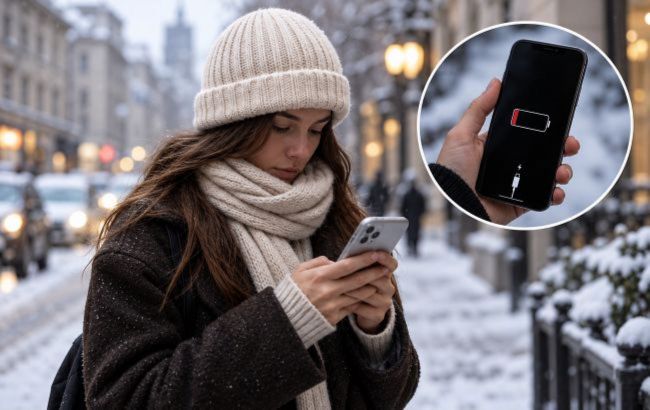 Even with battery charge remaining, a device may suddenly shut down, but that doesn't necessarily mean it's faulty (photo: Styler)
As cold weather sets in, smartphones may lose battery charge faster or shut down unexpectedly, even when the battery indicator still shows 20–30%. The reason often comes down to how batteries work in the cold.
RBC-Ukraine explains why this happens, what temperatures can be dangerous for smartphones, and how to protect the battery.
Why your smartphone may shut down in freezing weather
Most modern phones use lithium-ion batteries. As temperatures drop, the chemical reactions inside the battery slow down, reducing its ability to deliver power. As a result, a smartphone may lose charge quickly, slow down, or shut down unexpectedly.
For example, the screen may show 30% battery remaining, but after prolonged exposure to freezing temperatures, the device may stop working.
Apple explains that using an iPhone in very cold temperatures can temporarily reduce its battery life. Performance usually returns to normal once you bring the device back into warmer conditions.
This means a sudden shutdown in cold weather doesn't necessarily indicate a faulty battery.
What temperatures can iPhones and Samsung phones withstand?
According to Apple's recommendations, iPhones work best at ambient temperatures between 0 and 35°C.
Samsung recommends a similar temperature range for its Galaxy smartphones.
However, this does not mean a phone will necessarily stop working at -1°C. Its response depends on how long it stays cold, the battery's condition, and the demands placed on the device.
Owners of older smartphones should be especially careful, as worn-out batteries may tolerate low temperatures less well.
How to protect your smartphone battery from the cold
To keep your phone from shutting down at the worst possible moment, follow a few simple rules.
1. Keep your smartphone in an inside pocket. This helps protect the device from cold air. An outside jacket pocket or a backpack offers less protection.
2. Don't leave your phone in a cold car. Even when switched off, don't leave a smartphone in extremely low temperatures for extended periods, as this can harm the battery.
3. Turn on power-saving mode. On iPhones, this is called Low Power Mode; on Samsung Galaxy phones, it's called Power Saving Mode. These features help limit background activity and reduce energy consumption.
4. Lower your screen brightness. The display uses a portion of the battery's charge, so reducing brightness can help your smartphone last longer.
5. Avoid holding your phone in your hand for extended periods in freezing weather. If you need to answer a call, use headphones and keep the device in your pocket.
These tips cannot eliminate the effects of cold on a battery, but they can help reduce additional power consumption.
What not to do with your phone after exposure to freezing temperatures
One common mistake is trying to warm up a smartphone as quickly as possible after coming indoors. Don't place it on a radiator, hold it near a space heater, or use a hair dryer to heat it up.
Sudden temperature changes can cause condensation, while excessive heat can further damage the electronics. Instead, leave the device in a dry room and let it warm up gradually to room temperature.
Also avoid charging a smartphone while it is still very cold. Apple and Samsung impose temperature limits on charging. If the battery is too cold, the system may temporarily pause charging.
Therefore, let your phone warm up naturally before connecting it to a charger.
How to tell if your battery needs replacing
If your smartphone shuts down only in freezing weather and works normally again once it warms up, low temperatures may be the cause. However, if the problem persists indoors, check the battery's condition.
On an iPhone, check this in Battery settings, where it displays maximum battery capacity. Samsung Galaxy users can run a diagnostic test through the Samsung Members app.
Signs of a potentially worn-out battery include frequent unexpected shutdowns, significantly reduced battery life, and system warnings about battery health. If these problems occur regularly, consider visiting an authorized service center.
The main rule for the cold season is to avoid leaving your smartphone in freezing temperatures for extended periods, prevent sudden heating, and charge it only after it has returned to an acceptable temperature.